Indeed job Scraper Automation with Airflow and Docker-Compose on AWS EC2
Overview
https://github.com/Booss3my/Datascraper
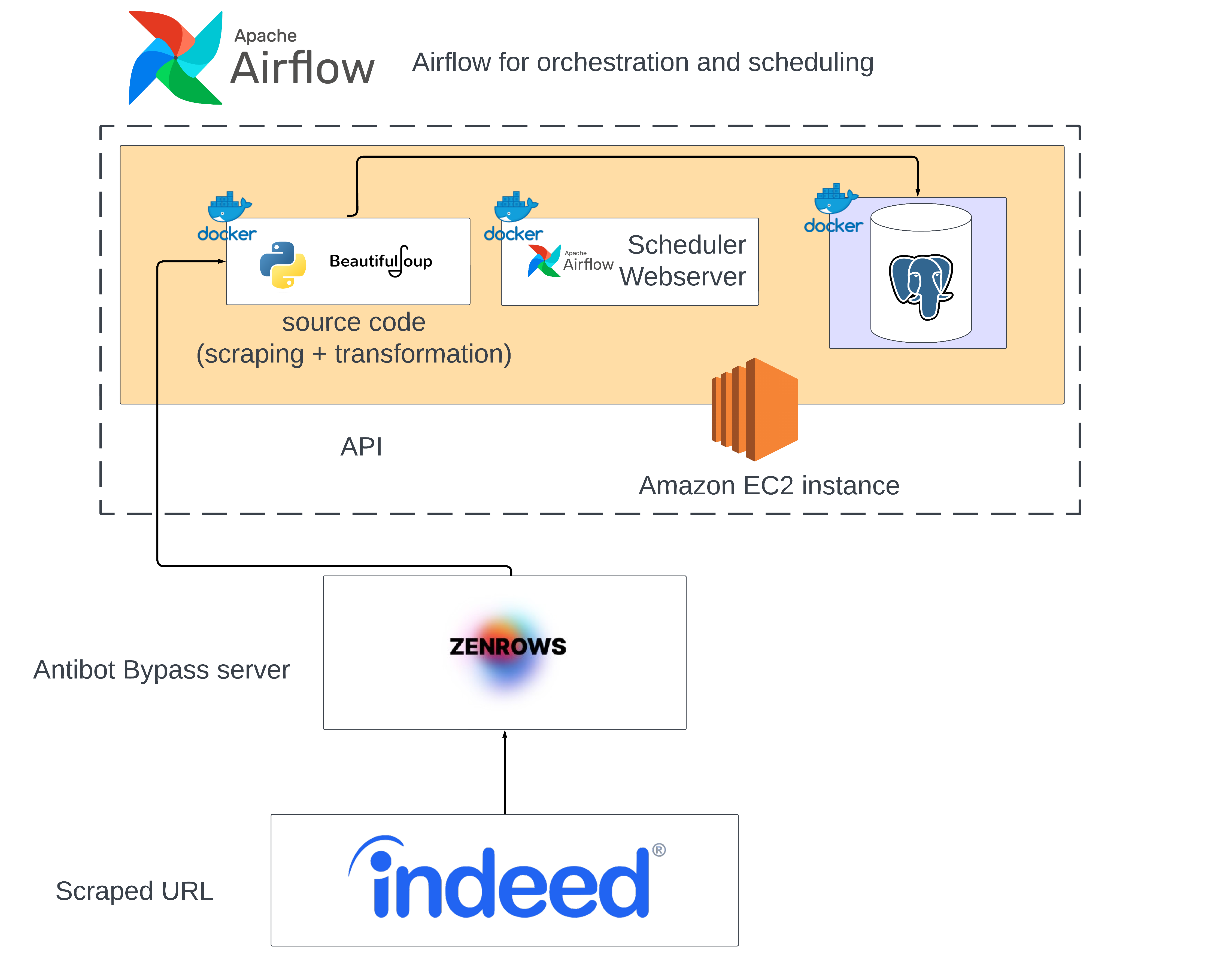
Developed a robust web scraper for Indeed job listings, employing a paid web proxy API and orchestrating the process with Airflow. Leveraged Docker Compose for seamless deployment, extracting and storing job information in a PostgreSQL database. The project was deployed for daily scraping on an AWS EC2 instance.
Technical Highlights
Web Scraping Logic :
The core of the project lies in the web scraping logic. Utilized Python and BeautifulSoup to extract relevant job information from Indeed’s dynamic web pages and pandas for data cleaning and processing, the main function is the scrape function (called in the airflow DAG).
Scraping
scrape(max_date=2, subjects=["data science"], pages=3)
Main function to extract, transform and save job offers dataframe to the staging folder.
Loading to database
load_data()
This function reads the datframe parquet file in the staging folder and loads it to a PostgreSQL database with SQLAlchemy.
Cleaning
clean()
This function cleans the staging folder for the next scheduled scrape, to keep the storage on the the compute instance in check.
Airflow Orchestration :
Employed Apache Airflow to orchestrate and schedule the scraping tasks. Configured an Airflow DAG (Directed Acyclic Graphs) to define the workflow, and the execution schedule (daily). This approach allows for easy monitoring and maintenance of the scraping and loading processes.
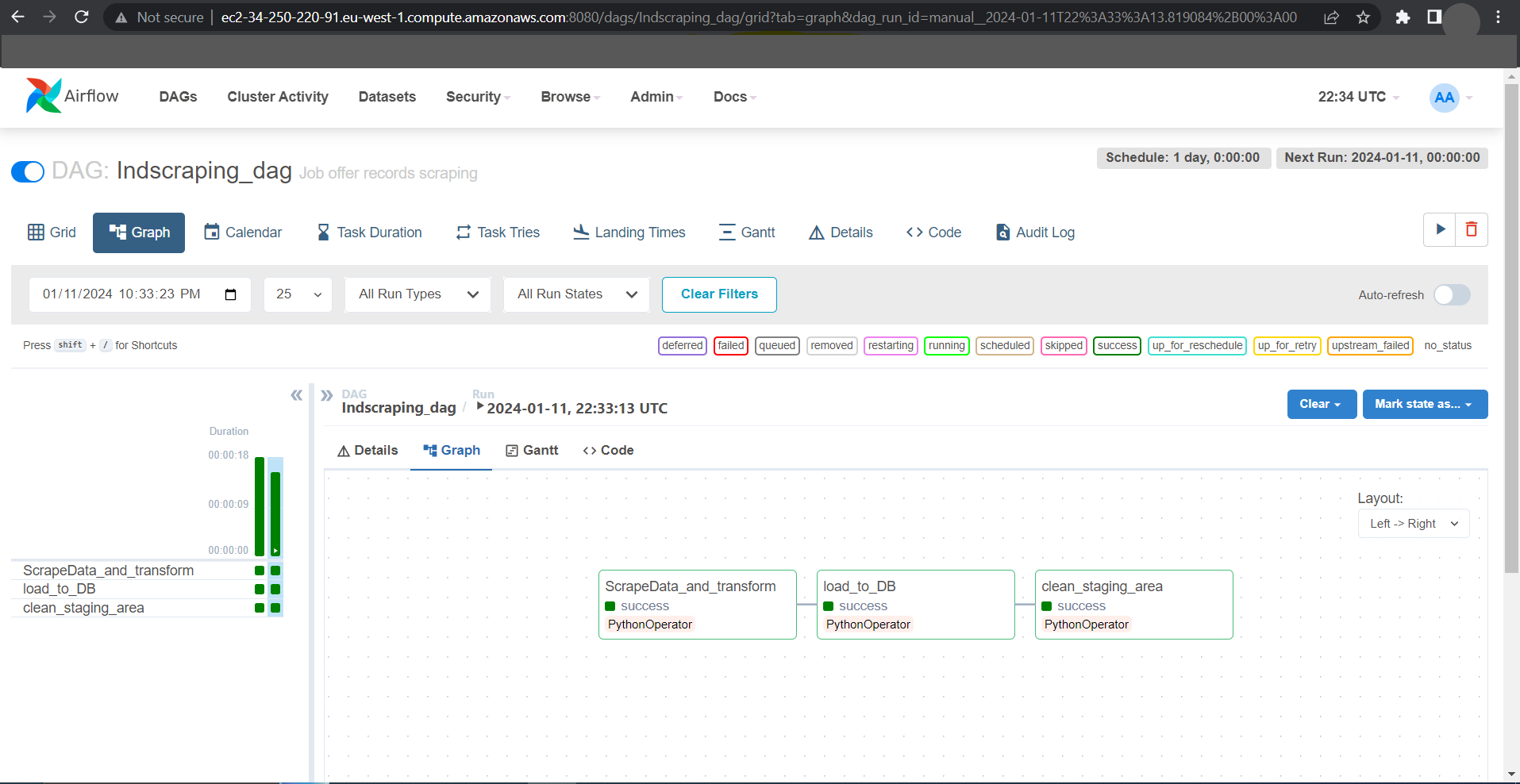
DAG : The schedule_interval argument ensures that the Airflow scheduler triggers the tasks on a specific schedule (here daily).
ingestion_dag = DAG(
    'Indscraping_dag',
    default_args=default_args,
    description='Job offer records scraping',
    schedule_interval=timedelta(days=1),
    catchup=False
)
Scraping task :
task_1 = PythonOperator(
    task_id='ScrapeData_and_transform',
    python_callable=scrape,
    dag=ingestion_dag,
)
Loading task :
task_2 = PythonOperator(
    task_id='load_to_DB',
    python_callable=load_data,
    dag=ingestion_dag,
)
Task dependency:
task_1 >> task_2 >> task_3
Containerization :
A docker compose is set up with few changes to the official Airflow docker-compose file (with Postgres as a backend to store our metadata, and Redis as the message broker).
A Docker file is created to install the Python requirements.
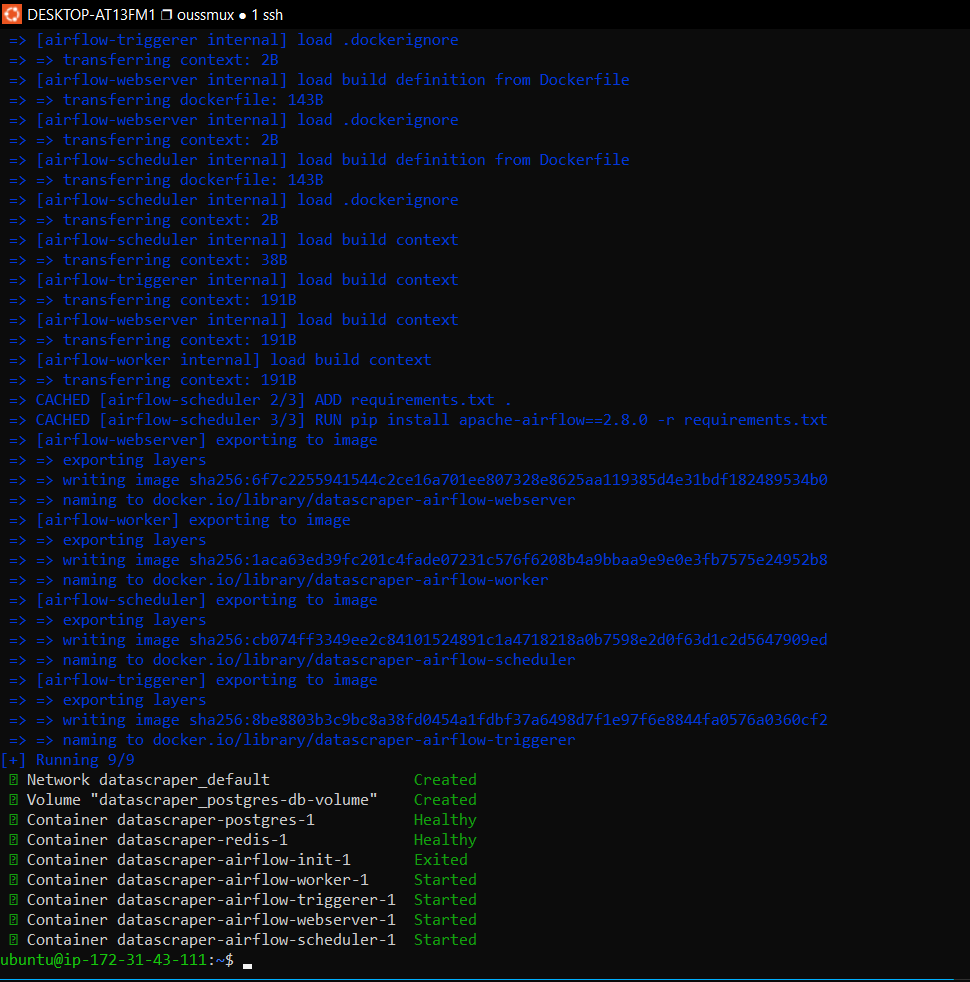
Inside the build.sh file, we build our custom Airflow image then run it using the docker-compose up comand
Starting the containers
1 - Install docker and docker-compose
2 - Clone the repository and create a .env file with the needed enviroment variables.
3 - run the build.sh file . build.sh
4 - Access the Airflow UI on port 8080 and trigger the DAG.
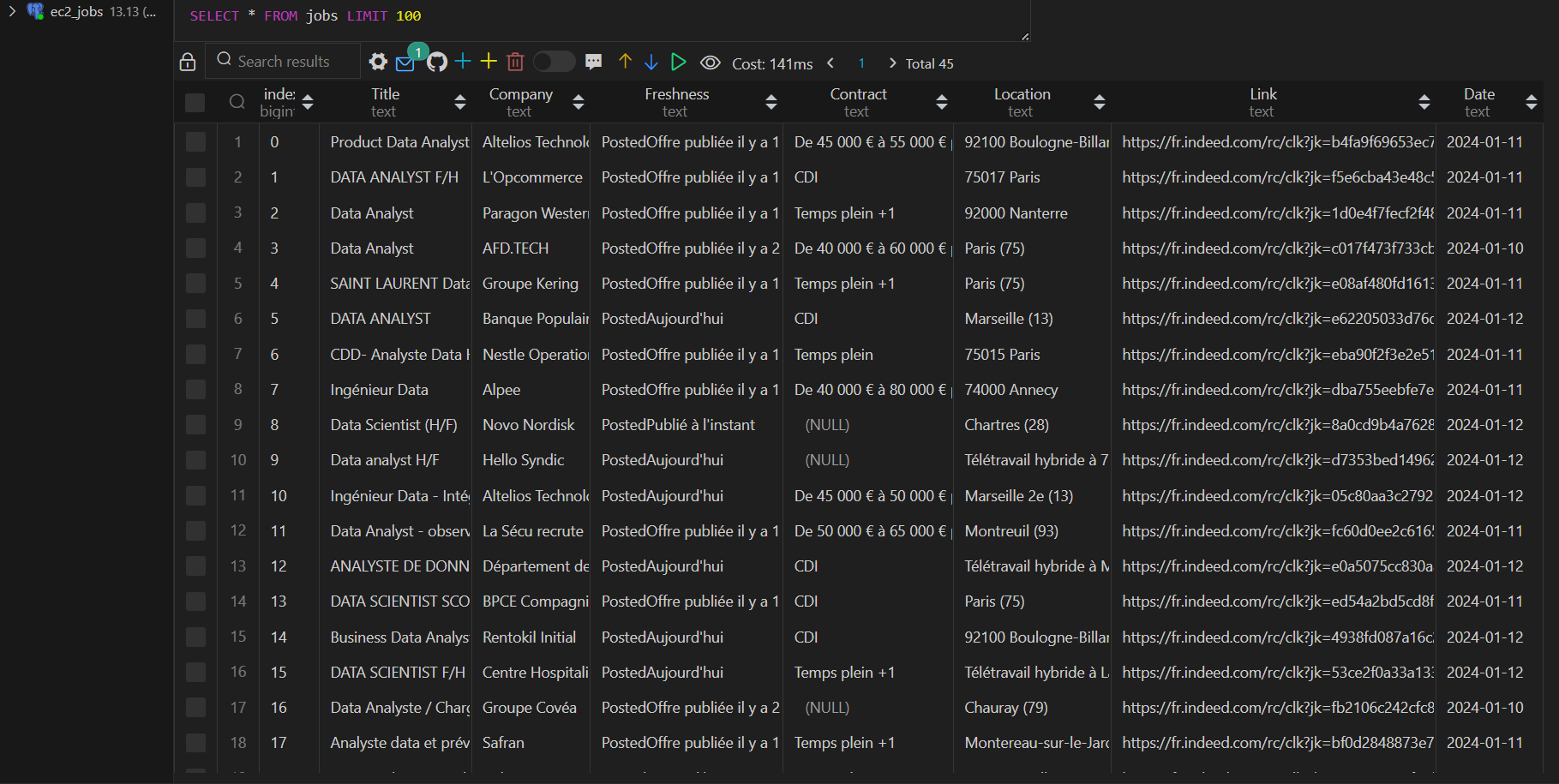
5 - Access your scraped Table from the Postgre server (On the EC2 example the table was created in the Airflow backend database, but any postgres server can be used as long as the DB environnement variables are set in the .env file).